Martin Bean: A Journey In Innovation

Liveblog notes from watching (the Elluminate-mediated broadcast of) Martin Bean (OU VC Designate) keynote address at ALT-C 2009. Abstract:

Innovation in ICT continues to enable new and effective ways to open learning to all who seek it. The challenge for The Open University from the beginning was to deliver mass higher education on an individual basis. That challenge remains the same today. The Open University asks for no entry qualifications and delivers to over 200,000 students and users of their course materials each year. In this presentation Martin will reflect upon The Open University’s pioneering use of technology for large-scale delivery of educational opportunities over the last 40 years and contrast that with where The Open University sees the greatest opportunity for the application of ICT and innovation over the coming years.

Welcome. Martin Bean, Vice-Chancellor Designate of OU Open University. Had been in the UK for two months; this is his first keynote speech. Shows his commitment to learning technology. He’s bringing together complex perspectives from two worlds: the commercial software platform world, and our world of education.

(Martin Bean arrives)

This is the place I like to be best, a pleasure to accept. This is the world he’s spent his entire professional life in – the intersection between education and technology, and bringing them together in a meaningful way.  International personal background. Spent last 15 years working in commercial software companies, all engaged in education. Last five at Microsoft & Bill and Melinda Gates Foundation. Then made decision to move from theoretical R&D to practical, last November.

This is also the way innovation comes to bear, same journey. Less about pivotal points, but we are custodians of a piece of a journey.

Innovative Scepticism – soundbits from a teacher’s conference in 1703 – ‘students today can’t prepare bark to calculate their problems. They depends on their slates which are more expensive. What will they do when slate is dropped?’; then 1815, students depend on paper to omuch. 1907, students depend too much on ink. 1928, students depend upon store-bought ink.  1941, students depend too much on fountain pens. 1950 ballpoint pens will be the ruin of education in our country.

It’s always been up to us – who see the innovations – to bring education along for the journey.

Thomas Friedman, ‘The World Is Flat’ – changing landscape. Turbo-charged environment, Two years ago this talk wouldn’t have been broadcast like this, and wouldn’t have Twitter feedback and critique – which he will read afterwards (!).  It’s hard for institutions to accept this, and the role that we play in this.lifetime

Employment vs lifetime employability. Education is not a once-in-a-lifetime experience, it’s a lifetime experience. Shifting gears.

Changing nature of HE – three categories: Globalisation, Massification, Privatisation.

Globalisation – 2.5m students learning outside their home country. Bologna process, e.g. of initiative designed to facilitate this.  Unprecedented growth in distance education. In Singapore – 200 possible online MBAs – will do a degree in how to choose!

Massification – macroeconomic environment, some massive increases in supply, but generally the world can’t supply enough to meet demand if we stick with the traditional model.  So have to move from bricks and mortar to clicks and mortar. We’ve seen 20, 30, 40% increases in supply. But in Sub-Saharan Africa, 5% increase a year is nothing like enough.

Privatisation – Tax-funded education is in retreat mode. Private sector the fastest-growing. One in three students studies in a private HE institution.  Has very different motivation to other universities. At the OU, wakes up every day thinking about social justice, giving people access.  Private organisations, wake up every day thinking about shareholder value.  That makes them extremely formidable competitors – fastest-growing, massive uptake of technology, riding the wave of distance education.

So what do we see as our colective challenges?

UK and US overshadowed by India and China – number 1 and number 3 in the world. China’s R&D investment is massive; the rankings for research instutitions will be dramatically different in 20 years.  When PhD students went to the US, they used to stay – now they go home.

Need to educate citizens for new types of work.  UK for adults of working age, just shy of half are not qualified about level 2. If we’re to underpin UK as world leader, thriving and prospering, have to face up to skills agenda, right skills.

STEM is key for a competitive workforce – but is challenged.  Why critical? It fuels innovation. Only future for economies like UK, Australia, US, is innovation.

Increasing importance of sustainability.  Key times in history to make people uncomfortable enough to make a big change. Not about giving courses in green jobs, engineering environment – it’s horizontal, in to all teaching, research, leadership agendas.

Transforming information into meaningful knowledge. 21st media skills, sage on stage to guide on side. Rote memorisation and assessment over. School is like on an aeroplane, have to put all your confidence in someone up the front, and you have to turn off all your electronic devices.  Classic examination setting: put them in a room, take away all their tools bar a pencil and paper. Somehow we’re measuring 21st century skills?

Doesn’t believe that a Powerpoint has a constitutional right to start and finish (!), coming from Microsoft.

Student expectations

Many students never known world without web, sms, MP3s, etc. Heavy use, including social networking. Uptake of technology in homes, roughly 70% in 2008, when up by 2m homes in a year.  We need to continue conversation about access, but must get real about their expectations.

What do they want? Values: autonomy, authenticity, connect and share, creativity, constant stimulation. Priorities: friends, fun, music – real-time interaction and self-presentation. Likes: Devices, cool stuff. Hates: Complexity, bad design, costs, things that get in the way of expression. Really the Internet enables what students wanted before, but faster and at bigger scale.

Crisis of relevance in Higher Education. To be more relevant, blend digital lifestyles and digital work styles: don’t unplug them, make best of both. Future jobs will require those skills.  Lifelong learning – we can’t depend on young graduates. Continual development, learning in the workplace needs to be integral. Breaking down barriers between informal and formal learning – HE must remove artificial barriers, so people can knit pathways together to weave in and out of HE as they need. Our systems look like they’re designed to stop this.  That’s not what everyone needs, not what a quality HE experience should be. Must put learner in the middle; HE is about making sure that learner is at the middle, the support revolves around them.

So with those as backdrops – macroeconomics, student expectations … why is technology relevant? What is the opportunity for technology?

Firstly, expanding the reach of high quality education to all. (OER as one example.) Microsoft research – number one role for technology is expanding access to those who couldn’t otherwise.

Nurturing powerful communities of learning – formally and informally.

Enabling relevant, personalised, engaging learning. Classic textbook model, 4-year refresh, those days are done.

Giving educators more insight and more time.

Nothing new here – the thinking has been around for decades. Instead of lecture like this – all of this could’ve been done in advance, distributed notes. More about assessing where they at, what people got from it. Would allow us to have the most awesome conversation, really get down to where learning takes place.

Also about agile, efficient and connected learning systems. Data is a big challenge: locked up in silos, some home-grown, some off-the-shelf. Everybody wants to unlock the data. MIS or whatever, gives us access to the information we need just when we need it.

Role of technology, where it’s appropriate – but number one thing he’s learned in 25y in the application of technology is that it’s more about the people and the process than it is about the technology.  Why does technology innovation fail in our institutions? Nine times out of ten it’s because we think about the hardware and software and very little about the brainware.

Need to give all stakeholders time and energy, take care of them.

Segue in to talking about the Open University.  Four key themes (Open to People, Places, Methods, Ideas)- will not change, when he’s the VC in two weeks’ time.

(Video of OU history.)

If you’ve every worked for the OU, or been involved, learned, studied – look around – it’s about half the room (presumably mostly IET!). Awesome quest.

Not revolution but evolution.

Student support – it’s always been about personal, but now even more. The OU will ride the web wave to personal. 1.25m teelphone calles, 240k registrations, 800k student assignments, 33k qualifications – every year. We’re going to do this high-touch.  We will redefine our student journey and think about technology at every stage.

Will meet them where they live. If you think they want to hang out in your VLE – ha! – that’s the last place in the world.

Take advantage of changing delivery models, content creatin, consumption and manipulation. iPod would never have worked without Napster, which broke business models.  Same is happening of textbooks.

Being driven by Open Educational Resources – OpenLearn, 4m visitors since launch, very proud of it. Recognise overall initiative to change and lead, the whole sector. The SCORE initiative to help everyone else.

Access: big disruptive: it’s FREE. Free to browse, register, use, adapt, share. Very disruptive indeed.

Going multi-channel: build once, put in repository once, then go meet them everywhere, Miro, iTunes, YouTube.  Visual surfing in iTunes U, if you recognise it’s a place to extend your brand and bee visually attractive. Not a matter of putting lecture notes on to an iPhone, it’s a whole new generation of engaging digital content.  6.12m downloads, 64k visitors, 180k downloads a week. Lots of top-20 hits. Over 50% outside the UK.  How much does it cost? Very cost-effective versus putting signs on the side of buses.

Imagine if .. more than a podcast, but a learning application – the virtual microscope on an iPhone on a Martian meteorite.  Imagine a whole course on that – do it anywhere. That’s the next generation, it’s not just doing podcasts.

Education meets social networking – exciting, fast, disruptive, social (Eboy picture!).  SocialLearn – leveraging Web 2.0 for education, building bricks for a Personal Learning Envrionment.  Learner-centric – not an echo-chamber with comfort zones. Not just a web platform, but architecture of data and services. On Facebook, no breakthrough application for education; what we want is that.

Beyond social networking: moving from people like me, to people who challenge me; quick factual info to learning journeys/depth.

We can build what they want, meet them where they live, break down barriers between informal and formal learning.  Motivated learners are creating their own reuse and sharing models and contects.

Are we prepared to BE our own worst competition?

Questions

Australian, David Kennedy, Hong Kong: Wonderful to hear a VC talk about relationship of learning and technology. What will you do to the institutional structures which tend to reward other things?

MB: If we can’t prove the value proposition, sweep people up in what we’re doing, showing them the ‘why’, that we’re willing to invest in enabling the right people and processes, then we won’t break down those structures. Must be aware of two dominant forces: our faculties and academics. Much of this innovation needs to come out of the faculties. They are custodians of quality. Trying to do it skunkworks won’t work. Also the research agenda – OU doesn’t launch anything innovative unless we’ve done a lot of grounded research. Need compelling vision, investment, academics informing the quality, grounded in solid research – and will get it done.

Diana Laurillard, IoE, ex-OU: Changing nature of HE, massification. OU has been exploiting technology like this for ages. Personalisation – key, but difficult to achieve. Greater flexibility – not just of access, but in the way and what you learn.

MB: Diana’s little Apple logo shining at him distracted him from his Microsoft days. Browser is a beautiful thing for enabling multiplatform. When he puts the OU together, it comes through – the personal stuff that we do is key – the AL-student relationship, the peer groups, the phone call when they’re about to give up. Firmly believes we get rid of high-touch at our peril: technology can make this better, not get rid of it.  The platforms allow us to create much more of a personal experience. One AL with 18-24 year-olds (25% of OU students), encouraging them to set up their own Facebook group before the course starts, get to know each other. Across Europe, using Elluminate to create a high-touch personalised experience.  There is always going to be a place for physical touch, but the technology enables it in a special way.  Open Learn is an example of us seizing on technology when it really works. But totally agree, should’ve just said yes.

Shirley Alexander, Sydney Australia: Do students really want us hanging out in their space?

MB: Yes and no. They do if it’s meaningful and relevant. 13yo daughter describes her mother as a Facebook stalker. That’s not what he’s talking about, they don’t want us stalking them. But they do want us to take what they’re using and making it more meaningful for them.  E.g. socialLearn. They don’t want to leave Facebook and come to your VLE, they want to pull it in and stay in their world. Meeting them where they live is like that.  The long tail of learning, what the web provides, can take narrow areas of focus and let people come together. Take that further, giving them scaffolding to make it richer – that’s what he’s talking about. They don’t want us looking at their drunken photos.

John McAlister: Boundaries between FE, HE and schools, will the barriers continue to exist?

MB: For as long as our policymakers and all of us allow them to. We’re the only things standing in the way between primary, secondary, FE, HE working together. They technology exists, the desire from students exist, the funding models and credit models exist. But our courage to get it done isn’t there.

Debbie Cotton from Plymouth: Interested in SocialLearn. Some of our research suggests students switch of Facebook when they’re trying to learn. Do you imagine them flitting between social and learning activities? Students found that distracting.

MB: Those who want to turn it off mode; the net generation can live in a multi-stumulus mode. The real value of SocialLearn is that it’s a platform architecture, they can pull in things as and when they want to bring them in. It’s not designed to take them somewhere else, but be a layer that lets them work within an environment structured with informal learning environments. In closed beta, the UI is key at the moment. I’d rather be the one to figure all that out.

Speckled Computing and Education

Liveblog from Technology Coffee Morning, Jennie Lee Labs, 9 September 2009, given by Eileen Scanlon (IET) and D K Arvind, Director f the Speckled Computing research consortium at Edinburgh University.

Context

For Eileen, it’s the Personal Inquiry project – large collaboration with Nottingham. Inquiry learning in science; a little over halfway through a 3y project.

Hardware is all reasonably off-the-shelf equipment for scientific data capture. Literature-grounded method of supporting the inquiry process by involving young people in empirical work; technology is a way of enabling them to work through an actual cycle of focused investigation, rather than a simulation. Examplar topics: microclimates, urban heat islands.

A lot of previous work to support inquiry learning is about modelling phenomena and processes, often using simulations.

Student feedback says they appreciate real data collection. Project is not tackling issues of modelling and immediacy of feedback.

SensVest, developed at Birmingham as part of Lab of Tomorrow project – vest with accelerometers. Results from pilot trials not very positive.  Hypothesis was that this would be better than looking at readymade or simulated graphs; but not clear that it was. Thought could be because of delay in feedback.

So conversation here is about comparing predictions of a model with data collected in a real-time sense.

Speckled Computing

D.K. Arvind – a high-level overview. Funded by EPSRC. Not in to the technological detail. Work by concetrating on underlying science and technology to realise the specks, and networks of them – specknets – working very closely with domain experts to see how the specks can be used in applications.

Internet has 1 billion hosts today. IPv6 will support >35 trillion separate subnets, and each one in turn can connect millions of devices. Potential capacity to name/connect every grain of sand. Smart objects – smart meaning objects know something about their environment, and location-aware – not necessarily absolute, but relative: who are my neighbours.

Vision: endow persons/objects with sensing, processing and wireless networking capabilities. Aim to bridge the physical and virtual worlds. (Just what I’m interested in!)

Sensor intelligence as a telecom service – plural services, access agnostic.

Specks: minature programmable devices which can sense, compute and network wirelessly. Autonomous, rechargeable, energy scavenging (e.g. photovoltaic cells tuned to internal lighting – focus on built environment). Specks non-static and unreliable – design protocols for expected failure and intermittent connectivity.

Tens/hundreds of specks collaborate as dense programmable network – a Specknet.  Fine-grained distributed computation – the resources (energy, bandwidth, computing) are scarce here. Thirty years ago (or more!) the integrated microprocessor replaced box of different electronics with a single unit, led to a revolution. So here, encapsulate sensing, processing, and networking in a single ‘device’. If these are unobtrusive, lightweight … This is an enabler technology for Ubiquitous Computing.

Family of devices – 8-bit (med) client, can connect up to four sensors with 32-bit (large) microserve first, miniaturising to give 8-bit 5mm cube client. Freespace optics as comms – useful when devices are stationary. Would love to put sensors in e.g. the Jennie Lee Labs – because they’re static, can have line-of sight. Very small, low-power lasers. When on people, need radio – but that’s wasteful of energy because you radiate in all directions rather than directionally.

Next device: ‘Orient’ – 3-axis gyroscopes, accelerometer, temperature – attach to the limbs, calculate orientation on the devices themselves: leads to real-time capture of 3D motion – liberated from the studio. Lots of applications.

Also: Energy Neutral (EN) platform – capturing energy from photovoltaic sens.

Current motion capture methods: 1. Studio based with cameras, many cameras, reflective markers attached to person; grab info from 6-8 cameras, stitch together to get 3D view – computationally/memory-intensive post-processing. Not real time unless very high-end. Expensive – £30k ?per hour. Occlusion is a problem when capturing multiple subjects – need more cameras, but makes more post-processing.

2. Motion-capture suits. Wired suits, lycra, with a bulky base station/backpack which routes the sensor data to a high-end machine to do the processing (like Gollum).

3. Joint angle sensors. Bulky exoskeleton, cumbersome, hinders movement – not widely used.

So want: fully wireless, real-time and interactive, easy to use, ‘banalise the technology’, democatise its usage. Parallel with desktop publishing.

Orient Motion Capture system – currently sensors are about 30mm, need to miniaturise. (Video using Motion Builder for capture at http://www.specknet.org)

Can use real avatars: telepresence; bipedal robots operating in a harsh environment – use entire body as interface. Also in games.  Unobtrusive participation in simulations combining real and virtual players – ‘serious games’.

Applications – lots – Digital media (motion capture, games, sports); Health – with Lothian – looking at:

  • Congestive Obstructive Pulmonary Disease COPD non-invasive monitoring of breathing (devices on the chest wall) – can do analysis/monitoring remotely, with patient at home;
  • Intensive care
  • Clinical gait analysis – not just a few minutes in the hospital, but captured over, say, a week – is there variation over the day, different surfaces, slopes and so on. Much richer information for diagnosis.
  • Physiotherapy. Program them with ideal movement, track improvement over time. Transfer data. Can see how well they’re doing.

Videos/applications

Showed avatar control to Linden Labs (Second Life). Not keen because would flood their network.

Edingburgh Science Festival 2006 – learning in informal settings. Put sensors on break dancers (8-10 year old), give them ideas about physics e.g. angular momentum, centripetal forces and so on, based on their breakdances. Competition – who can spin on their head fastest. Not saying you’re teaching – surreptitiously getting them to do things.

Golf swing analysis – challenging, limited bandwidth, 2-3 hour tour round club. Data coming in to mobile phone.  Modelled as double pendulum – arms are one pendulum, connected to club which is the other. Equation of motion for double pendulum using Newton’s Laws. Get visual feedback of swinging club in the plane – angles between parts of the arm and so on. Applied sports science unit with biomechanics people helping interpret.

Interacting with robots – Trying to program behaviour, especially standing on one leg, walking etc, is done with heuristics, army of programmers over weeks. Can we capture human motion, analyse, run it on a simulator with physics engine, then select candidates and run on a real robot.  (Extend life of robot by being selective in which gaits to use!)  Get training data from human, segment in to phases. Fantastic videos of arm swinging, standing on one leg, sit-ups: and a great walk by a robot, with no human intervention in the learning algorithm.

“You need to demonstrate before anyone will start adopting these things” – very true.

Health scenarios – Need to validate data. Breathing rate during ventilation – breathing rate validated all the time. Can capture coughs, overall activity – e.g. go to sleep, turn right/left etc. Prosthetic limb adjustment – done by eye at the moment; with their capture data, can make it much closer to the normal/optimal setup. One example – couldn’t do it for climbing up a slope, but can now.

Speckled Computing Applications CEntre (SPACE)

Exists to evangelise! Encourage people to experiment with the technology.  About fifteen applications project, very keen – due to funding! – to see the technology applied, and making a difference.

Example: projectile motion. Take a soft ball with Orient device inside. Instrument thrower with three devices. Thrower throws ball, can detect instant when ball leaves the hand, so only acceleration due to gravity thereafter. Expect an arc defined by good old equation of motion. Study in inquiry learning: try using tangible interface to support learning the laws of projectile motion. Masters student had a first attempt at this.

(The research question here – for me and people like us – is what can you do if motion capture is cheap, easy and near-ubiquitous? Exciting!)

Questions

Don’t detect physical location, but can infer it. Treat human body as articulated system of rods. Marker system requires precise placing of markers on parts of the body – here can be anywhere.  Camera-based gives you position information, but have to infer orientation and acceleration.

256-times a second capture. Do-able because done on the devices themselves, so can be done in real time. Base station 33g, sensors 13g. Sensors can talk to each other, but here they all talk to base station.

Feedback not just visual, but audio – a tone – good e.g. in physiotherapy or golf swing. Give audio feedback on how close it is.

Visual feedback on phone for golf – haven’t done any evaluation. They demonstrate they can do it, then work with end users to evaluate it. They work on the speck inside, improving, miniaturising. Applications are collaborations.

Ball-throwing example: very interesting question as to whether the embodied action of doing it makes a difference versus looking at graphs/models. You find the literature says more about the confusion in dealing with messy data. The physics ed literature believes in immediacy and theory-building – but not proven that this is better. Could be that the finding is that you learn better without going near to real things! Some research not finding much difference – or more difficulties in real-world data. Lot of rhetoric about real, authentic experiences as important for learning … but needs to be explored, and can be now. Motivational side is a better argument than representational.

iPhone would’ve been a good bet; have worked on WindowsCE and don’t much enjoy it. Using those in experiments with NHS Lothian. You need a load of software, it’s messy. Happy to work with people to do stuff on more phones, but that’s not their zone. Delighted to work with people to port it – can give you the hooks etc.

Possible applications in Formula 1, Nokia open lab network.

Dance also – tango dancers. Can get metrics about e.g. coupling of motion between leader and follower.

Separate centre for applications, several students, is geared up to use stable versions of their platforms, very open to collaboration.

Motor-control skills development in pre-school children. Ten-week study in a nursery, currently analysing data. Longitudinal study, exploring whether you can spot developmental difficulties.  Previously only possible in very expensive, constrained environment of a lab.  Now can do in ecologically-sound environment – where they normally play.

Wii only gives you acceleration; here get the biomechanics of it.

Information Use on the Move

Another IET Technology Coffee Morning, this one presented by Keren Mills, from the Open University Library.

Keren spent 10 weeks at Cambridge through the Arcadia Programme, funded by the Arcardia Trust. It’s a three-year programme in to improving library services, especially moving research libraries in to the information age. She wanted to find out what people actually wanted.

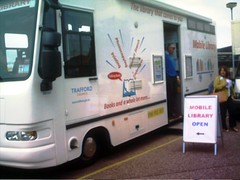
When you talk about mobile libraries … people think about vans full of books. But widespread perception that mobile internet is slow and expensive.

Students are in to texts, though – 58% of OU student respondents to Keren’s survey already receive text alerts (and continue to receive some) from their bank or whatever.  A student services pilot in sending texts was successful, sending prompt SMSs to students to remind them about study, upcoming TMAs, and so on. Students felt the university cared about them and were thinking about them – even if they didn’t need the reminder they appreciated the communication. Feedback survey showed most students wanted exam date notification and results.

Mobile-friendly websites: AACS noticed people using our websites using mobile devices.  50% of student respondents access mobile internet via their phones; 26% once a week or more. Very little interest from Cambridge students – might be younger than OU ones (on average) but they’re local to the University.

The perception is that mobile browsing is expensive – it’s better than it was, but still costs.  Some better than others – Virgin currently cap 3G data at 30p/day for up to 25Mb.

Only 26% of student respondents have downloaded apps to their phone and would so so again – higher than for overall, but not much.  iPhone might be changing that. (E.g. app being developed by KMi – the Virtual Microscope project and some others.)

Use of media on phones – students view photos most (75%)! Staff listen to music more (60%), and have more podcasts/journal articles/e-books exposure.  Students don’t, probably because we don’t prompt them to.

(An interesting discussion ensued about authentication to get access to e-journals.)

OU Library have been working to make their site more mobile-friendly. They’re using autodetecting reformatting software, which tries to suss the resolution, strips out the pictures, and reformats it.  It’s the same content, navigation and so on.

Students were particularly interested in location details and opening hours, and being able to search the catalogue. So they’re trying to make that easier. Moving towards a more CSS-based system in the future.

Safari – information skills site – has recently been overhauled.  Developed some mobile learning objects for reinforcement and revision – cli.gs/mSafari. Using their LO generator developed in-house.

Also – iKnow project – mobile learning objects, currently under evaluation.

About 33% of OU respondents have used text reference services (e.g. rail enquiries); a further 26% said they might, having heard about it through the survey.

General pattern of increased interest among OU students than others, probably because of our distributed area.

There are a range of mobile devices and emulators available in the Digilab.

Discussion

The autodetect and reformat software doesn’t work well with mobile version of Safari – so the Library site treats iPhones and iPod touches as ordinary browsers. Best practice is to give people the option of using mobile or standard version.

OERs, radical syndication and the Uncourse attitude

Liveblog from a technology coffee morning, 17 June 2009, by Tony Hirst.

Please ask Tony what he does – he looks at web technologies and sees what can be done with them, being “dazed and confused”, then communicates them to people through blogs and presentations.

Information and technology silos – information gets stuck in repositories, the IET Knowledge Network.  They’re isolated from other stores.  They do have advantages, but crossing between them is hard. Tony wants to soften the barriers.  Technology silos likewise – using a particular technology may exclude other people.  Twitter is an example – if you’re in, a load of stuff is accessible, if not, then not. Another example is the no-derivatives option in CC licenses.

He’s also interested in representation and re-presentation of material.  Can be physical transformation of content – physical book, or on a mobile phone, could be the same stuff.

Also collage and consumption (mash up!) – lots of people use materials in different ways in different settings, in different media.

Useful abstraction (for Tony!) is content as DATA.  He’s not interested in what the content is.  Data in the news in the US, data.gov to open up Government stats.  Moves in the UK too, Government, Guardian, and research communities trying to share information.  Presentation ‘Save the Cows‘ making point that data in a chart is “dead data” – it’s an end result, not reusable.  Finished product being shipped makes it harder to reuse.

[He’s using the JISC dev8d service SplashURL to give web refs in his presentation – so giving http://bit.ly/9C9uZ and a QR code on screen to give links for the presentation above.]

Data is a dish best served raw – http://eagereyes.org.  Text in PDFs is hard to get out.

Changing expectations – Tony’s video mashup about expectations, rights and ‘free’ content. Statement at the end says “no rights reserved” but amusingly is stored on blip.tv with default rights – i.e. All Rights Reserved!

If you can’t extract content, you can embed it in other spaces, let other people move your stuff around – even to closed document formats.

RSS!  Tony’s favourite. Syndication and feeds – offers some salvation.  It’s like an extensible messaging service.  It’s feeds that let you pass content from one place to another, packaged very simply – title, description (e.g. body of a blog post), link (often back to original source), annotations (if Atom – additional fields, e.g. geoRSS tags for latitude/longitude information), and payload (e.g. images).  If you package it right, other software can make it easy to aggregate and use these.

We ignore RSS at our peril – examples of how to use RSS beyond just Google Reader.  Bit outdated but still useful.  RSS is a series of pipes/wiring.  (Silly aside: he’s almost saying that the Internet is a series of tubes! – Twitter comment from @louis_mallow: Get the slides and do a mashup with data from http://is.gd/14kDA.)

Jim Groom stuff on WordPressMU – a syndication bus – UMW blogs. Lots of feeds. Live workthrough of how to do it.

Scott Leslie – educator as DJ – educator searches, samples, sequences, records and then performs and shares what they find. Similar workthrough of how to do this stuff.

Problems: discovery (how people find stuff), disaggregation (how people sample/take out the bits they want), representation (how they stick it back together and get it out again).

Discovery: We work in a ‘Zone of proximal discovery’ – we generally use Google, most of the time, using keywords we’re happy with and already know.  “Have you done your SEO yet?)  The OU Course Catalogue – with course descriptions – uses terminology you’d expect to learn by the time you finish the course.  How is a learner going to find that?  You search the web and can only find the courses you’ve already done. Similarly an issue generally for OERs.

Disaggregation: is a pain. Embed codes, sampling clips from videos, and so on. Easier on YouTube, can deeplink in to a specific bit.  It’s painful, hard, which discourages you.  The technology you use makes a difference for others too – e.g. PDF, makes it hard to create derived works.

Open Learn – an example. It’s authentic OU content that he can fiddle around with in a way he can don’t with other live courses, “this is a good thing”.  He loves the RSS feed for all the course units – and a host of other packaging formats. Can subscribe to a course using Google Reader – could use e.g. on an iPhone.  Feeds available: all units, units by topic, unit content – also OPML unit content feed bundles by topic. (OPML is another sort of feed – it lets you transport a bunch of RSS feeds around together.)

openlearnigg – built on coRank – imported all the content titles from OpenLearn, lets you comment, vote on and promote course material.  Also daily feeds – give you one item from an RSS every day, regardless of when they were originally published. Grazr widget with an RSS feed for the whole course, can embed in all sorts of other places.

Yale – open courses feedified – Yale Opencourseware has courses, which have contents, which have structured sections – all templated.  It’s not published as RSS, but Tony built a screenscraper (using Yahoo Pipes) to turn the reguarly-formatted pages and turns them in to RSS feeds – repackaged.  Repackage in OPML (collection of RSS feeds), plug in to the Grazr widget, can embed the content elsewhere.

Also did one for MIT, but they keep changing their website so the screenscraper keeps breaking.

WriteToReply.org – on the back of the Digital Britain Interim Report. (Digital Britain Final Report is out today!)  Tony and Joss created a paragraph-commentable version of it, uses WordPress/CommentPress At the moment they have to cut-and-paste the content in.  Each page/post is a different section of the report. Each paragraph has a unique URL, and has comments associated with it.  And there are feeds for the comments to – can represent them elsewhere (e.g. in PageFlakes).  People from the Cabinet Office had set up their own dashboard too, and set up the feeds from that in as well.

YouTube subtitles – grabbed Tweets from people with the hashtag for a presentation (Lord Carter talking about Digital Britain), along with the timestamp, then imported those in to YouTube. So then you can play back the live Twitter commentary alongside the presentation when you come back to it.

Daily feeds – aka serialised feeds – turned all OpenLearn courses in to blogs, which gives you feeds.  Can turn e.g. Digital Britain report in to a daily feed – can consume the content at their own page.

Feeds are also for live, real-time feeds – XMPP – instant messaging protocol, but can use it as a semi-universal plug/connector tool.  WordPress has a realtime feed – can see comments in real time, immediately, without the RSS delay.

Weapons of mass distraction – easy to read far too many things.

Another feed is CSV – simple comma-separated values format.  Google Spreadsheets gives you a url for a CSV file, can also write queries which work like database queries – can plug in to e.g. manyeyes wikified – and instantly get charts. “There’s no effort” … although “it’s not quite there in terms of usability”.  Putting content in to a form that makes it easy for people to move it around and reassemble.

Digital Worlds – ‘an uncourse’ – inspired by T184 Robotics and the Meaning of Life.  You could imagine it’s presented on a blog engine, because of how it looks. Also inspired by the way people split content up, don’t read things in order.  Hosted on WordPress.com, used that as the authoring environment. Wrote 4 or 5 posts a week. On the front page, published like a blog in standard reverse-chronological format.  All posts in categories (not very mutable, almost a controlled vocabulary) and tags (much looser) – gives you feeds for all of those – which lets you create lots of different course views.  So you could see e.g. videos, or the Friday Fun, or whatever. Each category or tag becomes a mini-course.  Also custom views – e.g. all the posts about particular games developed in Game Maker.

Also extra bits.  First, a Google Custom Search Engine (CSE).  On a search engine, can search one specific domain (e.g. add site:open.ac.uk to search just  OU pages – can work better than OU search engine).  The Digital Worlds CSE extracts any links to external sites posted in the course, and then lets you search across not just the course content but any sites that the course content linked to.  All done automatically.  Also did a video channel – using SplashCast.

As he was writing, was informed by what he’d done before. When did a post with a link back to a previous post, a trackback link appears on that original post.  So you can see on any given post what later posts refer to it – ’emergent structure’.  He created graphs of how all the links worked within the course blog.  Could also see paths through the course beyond the fixed category structure.  ‘Uncourse structures can freely adapt and evolve as new content is written and old content is removed.’  They rely on the educator ceding control to the future and to their students.  We try not to do forward references in writing oU stuff … but in this environment, they are created automatically when you make a backward link.  Uncourses encourage the educator to learn through other people’s eyes.  Later comments prompt further discussion and posts, and so on.  It keeps things fresh.

Questions

“We call them students because we take their money”, as opposed to people, a general audience on the web.  More seriously, it’s engaging more as a peer process rather than a didactic one.

This stuff requires a lot of skill – how do we get those skills out to educators?  Tony is doing workshops with people, and writes recipes on his blog.  Problem that when he publishes a recipe for a mashup, people tend to read it for what it is, or get hung up on the specific tools, rather than as a general technique or the underlying pattern.  (This is a well-worn problem in teaching!  Especially at the OU in trad course design. Trying to help people move from the specific examples to the general principles. And when people are overwhelmed with new concepts, they tend to latch on to things that are familiar.  You have to very patiently build up from what they do know to where you are trying to get them.  Zone of proximal development stuff!) Book recently called Mash-up Patterns does this without being too technical.  Tony planning to more specific stuff.

As an educator, posting comments and responses and so on.  Could you organise a group of students to do this collectively? How much would they need to know?  Example of say Darrell Ince’s wikibook project – getting students to write a book, farming out particular topic questions in a very structured way, that works.  Less controlled version in stuff like Jim Groom doing with student blogs, then being aggregated.

‘Quick’ question: How do you get the university as a whole to buy in to this stuff?  Er, don’t know. One reason – after spending 15 weeks at half time preparing Digital Worlds stuff, then 4 weeks writing it, then editor doing 2.5 weeks work on it – not a huge input for a 10 week courses.

Dynamic courses is hard in our context.

CALRG 30th Anniversary – Session 3

[Crossposted to Cloudworks]

Adrian Kirkwood

Evaluating the OU Home Computing policy. First courses in 1988. A meta-project, an organisational activity.

Previously, provided students with computing facilities since 1970s – remote access and at study centres etc.  Desktop computers entered the mass market.  New Home Computing Policy required students – on a few, specific courses – to arrange their own access to a PC.  Huge change in practice, not just for students.

The Home Computer required: “an MS-DOS machine with 512K memory, disk storage, mouse, and capable of supporting graphics”, “the technical strategy does depend on having an MS-DOS capability for under £500”.

Courses: M205 Fundamentals of Computing – ‘foundation’ computing course. DT200 Intro to IT. Sent them a modem! M353 Computational Mathematics – modelling tool.

Very high priority. Practical arrangements, additional costs, course completion impact?

Evaluation team within IET – Tony Kate, Ann Jones, Gill Kirkup, Adrian Kirkwood, Robin Mason, short-term assistants. Interested in longer-term educational and social issues associated with the change, not (just) the logistical and practical ones. Different ways of working all round.

Issues:  Implications for course design. How it could enhance T&L and support.  CMC – very important for a distance education institution, big shift for OU. Many questions about access and equal opps, especially wrt gender and age – a ‘yuppie’ effect on recruitment patterns? Social and physical context – loss of control and knowledge of the setup by the organisation. Institutional change.

Example – DT200 student read “when you receive your materials, copy your materials as a backup”. Student took a photocopy.

What happened?  It wasn’t a disaster in the first year, “we got away with it”, senior management lost interest in those aspects. More course teams added, wealth of information collected and alanysed for internal reports and external publication. Was it institutional research or academic research, or both? It varied across a spectrum.

New, current, project – “English in Action” in Bangladesh – DfID funding over 9 years.  Developing communicative English – spoken particularly – through technology-enhanced interventions.  Access there is still a big issue.

Mike Sharples

Was only here for two years “but it seems like a lot longer”; partly because keeps coming back but partly because it was a very formative experience.  First proper job after PhD. Partly because job interview on 8 Dec 1980 and heard that John Lennon had died, important transition time.  Partly because first person met was Liz Beattie, became partner.

CYCLOPS – in 1980- a telewriting system.  30 years ahead of its time. Had great help – a personal PA, and resources of BT to redevelop it to his requirements.

It was to support OU tutoring – students in Regions – either had telephone tutorials or had to drive to the regional centre.  CYCLOPS meant they could go to a nearby study centres – a few miles rather than fifty or more.

Shared screen telewriting plus phone conference – like an OHP at a distance. Could write, pre-prepared slides, overlay, multiple interaction.  True WYSIWIS. Up to 10 centres connected in a live meeting.  Students preferred it to the other options.

So why not used now?  Framework for evaluation – look micro (HCI), meso, macro (organsitional) levels at each of usability, usefulness, efficiency, etc.

It worked!  Familiar system image (OHP), students operated it with no training.  Opened a cupboard door, connect it up, get it working … and it was Ok. BT conferencing centres started off – BT conference operators weren’t used to managing data connections, so had to set up their own.  Suited lots of interaction.

Worked at meso level too – tutors adapted it to their teqaching style. Adopted conventions – e.g. signing in with your handwriting at the start, identity.  Cyclops studio for pre-prepared illustrations – early Photoshop facility.

At the macro level … it worked for students, matched their needs.  Wrong business model – saved student travel costs but increased OU costs, for facilitator and line charges.  Unacceptable transfer (and increase) of costs.

Fast forward … to Smart Meeting Pro.  By Canadian company that developed SMARTboard.  Meeting room and conferencing system with telewriting system. “See how to write over applications”

Will it work? Probably not.  Micro – over-complex, is an add-on.  Meso – integration and purpose (vs smart boards).  Macro – connections (critical mass required) and meeting support.  Which is a bit sad.

(Mike’s lab do a lot of work with tech companies comparing/evaluating their tools like this.)

For technology to really take off, it has to: appeal to the youth market, and fit in to their social life.  Mini car in the 1960s – part of the 60s social life of London.  The CD-ROM – when marketed as serious CD-I as educational tool got nowhere, took off when part of computer games.  SMS and texting – small business market until teenagers discovered social uses.

What would happen for telewriting with young people and social networking?  Perhaps the new Nokia 5800 – Facebook, touchscreen – ‘tap here to write something’.  Combine Facebook (social) with telewriting.

Andrew Ravenscroft

Digital dialogues for thikning and learning.

Ideas came from conceptual change in science: collaborative argumentation key in realising stable conceptual change and development.  So developed dialogue modelling work-benge (CoLLeGE), then dialogue games (CSCL), then more flexible, powerful and easily-deployable digital dialogue game tools (InterLoc).

Learners in the ‘social web’ makes this even more crucial.  Worries about ‘The Thinker’, and Vygotsky. Greater emphasis on ‘learning dialogue’ but internalising what?  Home brew vs brewed by experts – quick and inexpert vs long-run.  Homebrew intellect vs Grolsch intellect.

What are we designing, predominantly?  New spaces for learning. Socio-cognative tools.  Improved semantic back-ends and knowledge networks.  Ambient pedagogies and ‘experience design’.  And ‘deep’ learning design.

Need to manage – or constrain – complexit.  Intelligent ‘anti-social’ software – from semantic web to the intentional web?  Sensible computing?  Bouncers on the door of courses.

Patrick McAndrew

Found his interview presentation from when he came to the OU.  Found a picture on his current website taken well before the slides were written.  Reanalysed it as a Wordle – tasks, framework, learning, course.  ‘Open’ doesn’t appear at all.

“Walter Perry told his new staff … .to design the teaching system to suit an individual working in a lighthouse off the coast of Scotland” – Sir John Daniels (no evidence found of whether Walter Perry said precisely that, but it was an idea in circulation)

Open then meant: contained, controlled, costed (course in a box) BUT ALSO available, accessible, all-inclusive, supported.  But that lighthouse keeper audience is shrinking.  Checked the quote a while ago, found a lighthouse keeper doing an OU course … and keeping a blog!  So the audience is changing.  People’s bags contain ‘too much technology’, world is becoming much more connected.

There is still a digital divide, but it’s not for us to solve.  If we assume the problems people have, we’ll get it wrong.  We should reach to the world out there, other initiatives address the digital divide.

We have gone open with our materials – OpenLearn.  Have learning that people are interested in the content, and the social connectivity.

Did a more current Wordle on last paper (with Grainne, Doug, et al) – OER, Learning, design, process, use, resource.  Getting Grolsch for free!

OLnet is about being open to the world in all sorts of ways, including our research approach.  Openness is at the bottom of communicate, share, learn.

Need to move to a more open version of open-ness, free up the control we have of the students. Accept that there is a free route.

Open now = unlimited, freed, free BUT ALSO available, accessible, connected, empowered.

CALRG 30th Anniversary – Session 2

[Crossposted to Cloudworks]

John Cook

Slides available in Slideshare.

Snapshot 1 – Cooperative Problem-Seeking Dialogues in Learning. (2000) to Snapshot 2 – Going for a Local Walkabout: Putting Urban Planning Education in Context with Mobile Phones. (2009)

Music a key feature throughout.  MetaMuse designed to adaptively structure interactions between pairs of cooperating learners – decisions made about traversing State Transition Networks (STNs). AI basis.  Lisp/Mac based.  Generated musical ideas fast so they could get verbalisation/externalisation leading to self-regulation/self-diagnosing – problem-seeking.

Picking up models of how pairs of cooperating learners.

Now at London Met, strange news lately, Learning Technology Research Institute. Prof of TEL, half-time helping university with e-learning. A pocket of excellence in the RAE.  RLO CETL, FP7 project CONTSENS, mobile learning, work with Agnes Kukulska-Hulme.  Urban area study, capturing pictures/VR as they go around. GPS-triggered events, show you old photographs/newsreels of the same area. Students work in pairs to solve tasks.  Schools started looking like prisons, then flatter.  High-end phones (HTC Diamond/N95), builtin voice recorder for capture of notes.

Continuity – the song remains the same?

User data still at the centre, and adaptively structuring interactions.

Important research issues: equity of access to cultural resources for education; learner generated context; appropriation; mobility and learning pathways; informal learning.

Informal learning has taken him to being an Investigative DJ on blip.fm.

Rick Holliman

Diverse media in here, multiple streams of information, affects how we use and produce information.  Particularly interested in science communication.

Abstract done as tweets – key events.

Followed Martian invasion – meteorite harbouring fossilised remains of ancient bacteria (?). Very controversial – was it an artifact or a real microfossil?  Much tabloid interest; interested in how science communicated in the media.

Then Dolly the sheep, 1997. Key questions – why is there only one sheep? Because the scientists doing it didn’t expect it to work, so used genetic material from their freezer … and then it did. So some controversy in the scientific – but not public – media about whether she was an actual clone because the background testing not done.

Another thing at the same time … shift in to online word in terms of news, around the UK general election. Guardian Unlimited, Electronic Telegraph.

Finger-length ratio: established in the womb, dependent on hormone balance at that time.  That’s fairly clear, but what that means in later life is much less clear.

Broadsheets changed from broad to tabloid , or compact, or Berliner. Categorisation becomes difficult – and newspapers exist in multiple formats too.  ‘Elite and popular’ almost works for printed media, but not for broadcast or online.

Language is changing, the way we describe things is also changing: abuse of vowels and pronouns is rife. The result of txting?

Many complexities of consumption and production, and data collection and analysis.

Claire O’Malley

Her new boss was on the Dolly the sheep team … and he has finished where she’s finishing.  Twenty years from NATO Advanced Research Workshop 1989, to CSCL 2009.

Conference proceedings in 1989 used a cartoon of ‘Computer-Supported Co-operative Learning’ showing a teacher standing on a computer (Mac SE) as a podium, pointing at a blackboard with ‘E=mc^2’ (shared representation), computer supporting interaction (!) but not getting in the way of teacher-student interaction (looking at each other).

Shared representations – several projects. Conceptual Change in Science. Ros Driver. 1980s, Ideas still here in latest project. More recently: Ambient Wood (Yvonne Rogers) – same thing but the technology is different. Get students to investigate real things, unmediated, but script the investigation (scripting is CSCL current buzzword) – give them representations of those.  Now Personal Inquiry (PI) with Eileen Scanlon et al.  Again, new technology but idea the same: unmediated science, mediation to help learners talk about it.

Another strand – communication. Shared ARK – Josie Taylor, Simon Buckingham Shum. Video-mediated communication with shared science simulation. Real-world question about whether to run or walk in the rain. (Answer is a brisk walk.) High-quality analogue video, real time, even enabled eye contact. (Cool!)  Video-Mediated Communication – link to superfast Janet ATM connect, very high-bandwidth digital video early/mid 90s – two video streams at once! Focus on talk that was produced. Task – same map, other instructs on a route using talking-heads video.

Interesting snippets of findings from all this video:

Despite the quality of connection – bandwidth, latency, eye contact – people don’t talk the same way as if they were face-to-face.  They just don’t.  Whether in next room or across continents.  The task can be differentially affected by that.

So if you want a bargain and you’re on dodgy ground, use the telephone not the video. If your case is strong, use video because you can persuade more.

People think that if they’re on a video, they’ll somehow leak the truth when they’re trying to deceive.  Likewise, they think they can pick up lies from others.  But people are awful at spotting lies on video, and if they do leak the truth when trying to deceive, it’s by voice, not by what they show.

People who can see each other tend to say less than on audio-only channels; gestures – nodding etc – are crucial to maintaining smoothness of interaction.

LEAD project – EU-funded – mediating f2f communication with computers using text chat … like we’re doing now in this conference with the Twitter backstream.  Good route for more interactive lectures.

Digital Replay System – these contexts produce great streams of data that take ages to analyse and make sense of.  National Centre for e-Social Science, to help people make sense of large datasets like this.  Digital ethnographyThings like auto-analysis of head-nodding.

On the ‘Horizon’ – new EPSRC Digital Economy Hub – at Nottingham – research on ubiquitous computing, big building.  Cloud computing, specks etc … very many people you don’t know will have a lot of data about you that you don’t know. How do we make it acceptable for people that they do? How do we deal with issues of privacy, identity, security?

Computers and Learning Research Group (CALRG) 30th Anniversary – Session 1

[Crossposted as a cloud in the Cloudworks cloudscape for this event.]

Notes from the Computers and Learning Research Group (CALRG) 30th Anniversary Conference, 18 May 2009, Jennie Lee Building, The Open University.

Opening from Josie Taylor, Director of IET, and then intro from Gráinne Conole mentioning the Cloudworks cloudscape for the conference.

Ann Jones

First project, late 80s – tutorial CAL evaluation – a project called Cicero.  Students accessed it by study centres or by post.  Findings: students found it useful (17%!), but used it less over time. They talked about it being useful, but had a cost/benefit analysis in their mind of potential benefits versus percieved hassle of using it – in particular Bad Computer Experiences, whether first-hand or indirect.  Things like being locked out of the terminal room, anxiety – fear of secretly being assessed.

More recent approaches include Future Technology Workshops – Mike Sharples and Giasemi Vavoula. Small teams create possible future scenarios of technology that might support pedagogy.  One idea – a little demon on your shoulder telling you information about things and people in your environment, and warning you.

Then Bubble Dialogue – to try to help children with social, emotional or behavioural problems to communivate and express themselves. Speech bubbles shown above cartoony characters – intermediation, roleplay, to enable expression that’d otherwise be tricky. Quite strong emotive/aggressive stuff coming out.

Affect very important, and still is.

Tim O’Shea

Doesn’t think the CAL group has missed much in the last 30 years.

Sad to be an orphan – Leeds CBL unit, Xerox PARC – gone.  Tim and Marc Eisenstadt saw those as the parents. MIT LOGO Lab – also gone. Edinburgh evolves, Stanford and Sussex survive, and child – London Knowledge Lab – looking lively.

CALRG did not look right – very junior staff, very democratic (anarchic), across faculties and a support unit. “Then you should have the whole university!” “Yes, but we can’t persuade the Arts Faculty to join.” IET uneasy about technology (David Hawkridge asked Tim at interview “When you come here you’re not going to do any of that computer stuff are you?”, and he fibbed and said no).  No big grants and no senior management champion.

Had PhD students right from the start. Personal dynamic media, AI/symbolic computation, language & interface design, dev testing, student modelling, simulations, models and visualisation.  And applied the stuff to courses, rather under the radar.

Key projects early – Cyclops (Paul), CSCL (Robin & Tony), Special needs (Tom & Alistair), Theory (Pask 2 – Diana), Home Computing (Norman), DESMOND (John), Shared-ARK (Randall).

The future – Extreme Computing (HeCTOR & specks); Sensible Computing (quite smart via ML); Democratic Computing (wikis, eJournals); Hybrid systems (all modalities); learner/researcher continuum; big issue (for universities) – electronic assessment; non-issue – access or ‘divide’. Technology has not plateaued – there will be bigger, faster computers that can do more.

Heartbreaking thing about AI – when it eventually gets done, people don’t notice it.  Starts with ‘that can’t possibly work’, then taken for granted that system can learn stuff. Long-term dream: smellivision. Haptics and 3D and sounds and colour are all very well but we need smells.

Assessment is the key distinguishing point of universities, and hence eAssessment is the key challenge for the future. But the way we examine is not fit for purpose. Using group work, net resources and so on … then are assessed on high-level skills by sitting at a blank piece of paper with a biro. Need new ways to assess to capture the things they do.

Why are we still here? Kept OU SMT happy 5%, CALRG clearly successful 8%, served university courses 10%, key to OU RAE 12%, recruited bright newcomers 15%, knew the future 20%, happy & jolly community 30%.

Gráinne Conole

Was told couldn’t be professor of Educational Technology, chose Professor of e-Learning … would now want to be Professor of Technology-Enhanced Learning.

There is an array of technologies … not fully exploited. Saw with the multimedia stuff in the late 80s and the emergence of the web, and still going on.

Potential for resuse with Open Educational Resources … little evidence of reuse.

New pedgagogies and new learning models.

Learning design – to bridge the gap between the affordances of new technologies, characteristics of good pedagogy, and “Open Design” – making the design process more explicit and shareable.

Left university with chemistry degree and got a job. Graduate training programme with Allied Bakeries, became area retail manager for 150 staff in 10 outfits across London. Lasted a year, was absolutely hopeless at it, just wanted to help the staff learn, no interest in business models.  Then PhD in X-ray crystallography, then lecturer posts.  Broke from chemistry at UNL (now London Met), directed Learning and Teaching Innovation, Director of T&L Centre, head of Technology-based learning.  Then Director of ILRT in Bristol from 1999, then to Southampton in 2002.

Karen Littleton

Leverhulme project looking at children’s computer-based problem solving. Computers were very new in the classroom.  Questions: Are two heads better than one? (Quasi-experimental design looking at outcomes versus pair working or independent.)  Impact of gender and ability pairings? Features of dialogue associated with learning outcomes and task performance.  Indicators that joint planning positively affects them.

Many other OU colleagues (CALRG) interested in that as a theme – Eileen, Kim on collaborative learning in primary science.   The quality of the talk and dialogue was not ideal – conflictual dynamics, simple turn-taking, withdrawal.  Much evidence that grouping at computers was common as a strategy, the quality of the joint activity was quite worrying.  Working in groups but rarely as groups.

Distinctive kind of interaction, though: exploratory talk (Douglas Barnes). Tentative expression and evaluation of ideas as collective enterprise. Critical but constructive engagement, reasoned challenges.

So trying to encourage this – developed a teaching programme designed to try to ensure children can add these ways of talking to their repertoires.  Early work was looking at how children collaborate to learn; also about how to support children to collaborate and reason together.

‘Thinking Together’ is an example – 12 lessons, talk-based – to develop a positive culture of working and talking together. Ground rules established then appplication to curriculum area.

Talk in face to face sessions happens in the moment; but computer-supported interaction offer a half-way stage between that ephemerality and paper-based permanence.  They’re captured, but still malleable.  Technologies for writing and drawing can – sensitively deployed – strengthen dialogue.  They’re an ‘improvable object’. Teacher is central.

Technology in PI and ERA projects

Liveblog notes from IET Technology Coffee Morning by Eileen Scanlon and Mark Gaved on Technology in PI: Personal Inquiry and ERA (Enabling Remote Activity) projects: Challenges and lessons learnt.

(I liveblogged a previous talk on ERA (Enabling Remote Activity) last December.)

Personal Inquiry

PI – 3y EPSRC/ESRC TEL programme funded. Scripted learning envrionment to guide learners through inquiry process. Oakgrove School KS3 geography students (N=300); GCSE Urban Heat Islands, across MK and Northampton; Year 8 Microclimates, around school grounds. First pilot run with 80 (!) students in 2008, second one large too – so calling them ‘trials’ rather than pilots.

Social issue: the flight from science in schools. Difficult to persuade young people of relevance of science to their lives. So inquiry important theme in project to make the learning of important scientific principles relevant to you as a young person – hence Personal Inquiry. Focus on formal and informal settings, and devices including personal mobile technologies and shared classroom displays.

‘Scripted inquiry learning’ has some ‘studied ambiguity’ – building on the  ‘discovery learning’ literature.  Also more technical meaning of ‘scripted’. Inquiry learning lit review as first stage, shared model of Inquiry Process. Took that representation, rendered it as an Activity Guide (or orchestrate, direct, or be ordered about the inquiry process), with support for what you need at each stage: Find our focus, Decide our hypothesis, Plan our methods, Collect our data, Present my data, Write my report.  Shift from collective to individual – exam board requirement to be individual – so working in groups to collect, but then individual inquiries.

Lot of technology: ultramobile PCs – Asus Eee PC; Scienscope data loggers and sensors (CO, temperature, IR irradiance, anemometer, humidity) – rugged, precise, quick to report; standalone GPS – Garmin eTrex; digital cameras – Canon A460 Powershot digital cameras (‘Sir, we’ve taken 500 photos already and don’t have room for any more’!); wifi – standard 802.11; OU web server; web-based Activity Guide as coordinating interface. Data saved locally on Eee when mobile and don’t have the network.

Enabling Remote Activity

Remote access: Enabling mobility-impaired students to participate in geology fieldwork and complete learning objectives. SXR 339 Ancient Mountains, one-week residential school in Scotland.

Remote collaboration: Group work involving students split between field and lab locations; one-day trial.

Geologists want to see both the big picture (view of whole land feature) but also very close-up.

Technology: server/client – Sony laptops, Asus Eee PC; video – IP security cams, Eee built-in; images – digicams, wifi cams; audio – walkie talkies, VoIP phones; transient wireless network – Linksys access points, external antennae on lighting stands, 12V batteries; local web server; web-based interface.

The ideal mobile device – looked at PDA, phone form, normal laptop, Asus Eee – Asus Eee settled on, but not perfect.  Portability is a challenge – but groupwork helps since can distribute some problems, e.g. weight. Multiple cabling and multiple devices not helpful – so built-in webcam in Eee halves number of batteries; wifi camera simplifies cables/card transfer; walkie talkie headsets free up a hand.  Power another one – full days in field, battery/generator, overnight recharging.

General points across both projects

Web-based interface big win in ERA and PI. Interface very familiar, little training needed. Continuity of field and built environments on different machines.  Issue of field machine browser connecting to local server (need later sync – challenge with large numbers of machines) or connecting to remote server (requires connectivity – challenge in the field).

Connectivity on the edge: tension between interesting locations and well-connected locations.  School networks not designed for roaming connectivity; poor line-of-sight in field.  Firewall issues too.  Local connectivity hard but backhaul even more tricky.

Bridging environments tricky. Solutions to technical issues may work (network keys, proxies, transitions) but social issues may override (e.g. teenagers grounded from internet use!).

New ways of teaching – technology fitting in to existing practices. Challenge of orchestration between multiple tutors and researchers – scaffolding by scripting (PI) is one solution.  (Although this requires intensive preparation and thinking-through by researchers beforehand; not ideal for lightweight usage that’d facilitate abduction/appropriation by the teachers/tutors themselves. Always a big challenge for tech innovation learning research projects – including at the OU. How do you get the great mass of teachers able to pick up the tech and redeploy it to meet their needs? Good examples as models from research projects help.)

Need pragmatic, participatory design – tutors/teachers and students crucial input but are very busy.

Graceful degradation – always have a Plan B – teachers/tutors do this by instinct anyway, technology needs the same approach, including fallback technical solutions: spares, redundant communications routes, etc.

Scaling issues: identical setups helps, but takes time to set up/turn around 30 machines – real challenge on a daily basis. Needs room and power to do it. “How many sockets do you want in the new building?” “Oh, 88 should do us.”

Summary points

  • technology intervention changes the learning activity – transformation of practice
  • test in field (in authentic contexts) as much as possible
  • important to co-design activities (participatory approach)
  • evaluation of interventions crucial but challenging (practicality, control groups)
  • need sustainability and exit strategy

(… which I think stand as very good general points for most technology interventions in teaching – or indeed any teaching innovation)

Learning in Digital Worlds: What are we talking about?

Prof Josie Taylor inaugural lecture, liveblog 7 April 2009.

Two great realisations. Looks at people doing stuff with things – it’s really about conversations. Diana Laurillard’s work. The greatest challenge for those involved in the communication revoulution is not technology but communication between people. Link to Pask’s Conversation Theory. Converse of control, deregulation, enrichment by divergence possible, cybernetic – participants could be computers as much as people.

Second realisation: Abduction (Peirce). Used heavily in design. Inverse modus ponens.

The ‘computational aura’ – dialectical relationship between technologies and conversation takes us forward; digital artifacts and humans jointly construct, divisions blur.

Prolog learners with Ben du Boulay, 1984-87. people not systematic in their logical thinking. Interpretative framework for people trying to understand complex machine behaviour is the human social framework.

Communicating through videotunnels (88-90), with Tim O’Shea, Eileen Scanlon, Claire O’Malley. Mediated eye contact and role in establishing collaboration on problem-solving.

Physics problem solving (90-94) – collaborative undestandings established through dialogue – negotiations around agreement.

MENO: Multimedia, Education and Narrative Organisation with Diana Laurillard et al (96-2000) – Narrative guidance, narrative construction.

Mobile learning (2005-2009) – Conversaional processes, Pask again. Conversation is means by which we negotiate differences and form transiently stable interpretations of the world.

So … established enough about the nature of human learning to support it through use of digital devices. But technology always changing, underutilised – confusing, worrying. Professionals not good at technology predictions.  Changes deceptive and misleading – we tend to muddle up surface presentation/format changes, accessibility/delivery, functionality offered, and functionality required.

Case study: Penguin Paperbacks. Before 1935, to read book, go to library. Cheap paperbacks changed this. Readers become buyers, business boomed, range increased, easy to get hold of. What actually changed? Mobility (vs hardback), access changed, contexts, cost. But functionality and skills required didn’t change. So changes only syntactic (format), but a revolution occurred.  We tend not to ask the right questions: What is the right size of book for optimal reading? What is the learning benefit of this change? We don’t need to innovate any more? What about people who can’t read?

Conceptual infrastructures: Ubiquity, Ambience, Flow, Grid: everyone has connection, carries connection, everything has one, everything works together.

Speckled computing – http://www.specknet.org – autonomous, minute specks (1mm^3), collaborating as programmable computational networks called Specknets. Truly ubiquitous computing. Fine spatial and temporal resolution. Information appliances might not be explicit; highly diffused.

(With shift from multiple media to multimedia, our learning thinking was still valuable. Similar argument here.)

These digital artifacts as cognitive enhancers – makes it a semantic change.

Learning context of the future: network, grid, specknets – return of the intelligent machine?

Computers as participants in a cybernetic view of learning. Enable computers to work out how to work with us.

Theory of Mobile learning (Sharples, Taylor & Vavoula 2007) – focus is communictive interaction between learner and technology. Digital artifact is as much a participant as the human. Draws on Pask, Laurillard, Vygotsky (via Activity Theory), Engeström.

Two-layer model: human/task focused/semiotic layer – Engeström extended activity system. But also technological layer – with conversation between each level. Relationship between the two is dialectical. (Note to self: Just had horrible thought that actually these levels are end-on in a trad activity system, rotate through 90 degrees, not overlay – to follow up. Probably isn’t though.)

Interdisciplinarity is key – need educational technology and technology.

Grand Challenge for Computing: Research in Learning for Life. To conceptualise how learning environments will manifest. Not just incrementally extending current models of teaching and learning.

Conclusion: Technology potential People will retain control – but are lazy so likely to relinquish it. Digital artifacts geneate possibilities and options – humans must choose. Some artifacts may become intimately connected with human bodies.

Dewey 1916 p88 quote about learning in a mobile society a nice finish.

From exposition to enabling participation: the OU’s learning journey.

Prof Andy Northedge – Inaugural lecture. Liveblog 7 April 2009.

Starting question: Is an OU educationist any help?

What do we know about HE teaching and learning? Literature scanty compared to schools – especially when he started. How can teaching work at a distance? Many fundamental questions addressed by early course teams.  Teaching and learning acts separate, disconnect in feedback loop.

OU as an extraordinary test-bed for educational ideas – very new thing for academics to discuss teaching with each other: forced a discourse of practice. Also discipline of the market. (Stats a hard sell particularly.) So have to worry about whether students want to learn what you’re trying to teach – again a new thing. Students could walk away. Concretisation/reification of teaching, replication possible.

How has pedagogic thinking moved on in 40 years? (OU 40 years.)

D100: Unit 1 – starting with the fundamentals of human nature. Unit has its own purpose, to consider – i.e. exposition. Question ‘Why does man live in society’ – not a burning one for students. “I’m afraid the outcome is going to be pretty unsatisfactorey, but what can I do? You’ll just have to make allowances” – aim at academic peer audience? Start with broad, abstract theoretical foundations.

DD100 – crime – starts with ‘Tales of Fear and Fascination’ – consciously stylish and intriguing. No preamble, straight in to concrete direct questions. Student addressed in second person ‘you will look’ vs ‘it will consider’. Activity right up front. Colloquialisms. How are we – joint project – going to answer interesting questions. Work from your personal experience, ‘have a go’. Challenge to everyday assumptions. – teaching as supporting participation in meaningful, active dialogue.

1969: HE teaching largely unexplored, unquestioned. Hard to research tuition and counselling. Little theory applied.

Four models then extant.

Apprentice-scholar (Oxbridge tutorial) model. Teaching recommends texts, sets & marks tutorials, lectures are incidental. Teacher guide to lit, taskmaster, critic. Presumes well-schooled intake.

Lecture-centred model. Teacher as key knowledge source – must have sound, up-to-date discipline knowledge, select/synthesie/organise it, transmit by speaking with visual aids. Fear of not knowing enough as teacher. Teaching as tealling/explaining. Unproblematic, poor learning is poor attention. OU units as lectures-in-print – conventional lectures much criticised.

Constructivist model (Piaget, Bruner roots). Learning as active, exploratory, constructive process. Teacher provides conceptual dilemmas, scaffolding – not explanation. OU case material and activities. BUT which concepts are to be constructed? How do you know when they’re constructed well enough? Must students recapitulate history of discipline’s discoveries? (long process!)

Radical student-centred model. Real learning grows from within. Students pursue own agendas with supportive peer group. Learning within group process, teacher as facilitator.  (Stuart Hall lecture at summer school – students said was the best thing ever, changed everything – but couldn’t tell you what it was they’d learned.) One Technology, art and design course (TADxxx) was like this … but only one.

All used with claims of success. Not contradictory is we view learning as a multi-faceted sociocultural process : learning is becoming immersed in the ways of thinking, discoursing, doing – of a ‘knowledge community’ (i.e. discipline). Knowledge is what is shared within discourse, within a textual community – Bruner 1996.

Aspects of HE teaching and learning – Intellectual cognitive vs personal/social aspects; (one axis), outer aspects (discipline) vs inner aspects (within mental/social being of student.) Lecture – outer/intellectual. Apprentice – personal/outer. Constructivist – intellectual/inner. Radically student-centred – personal/inner. Good teaching makes all these happens.

Sociocultural account of learning – specialist discourse of a knowledge community. Different levels and modes of participation in a specialist discourse: Vicarious participation vs generative. [Link to generative internet stuff here – note to self: follow this up!] Peripheral vs central forums (radio tx vs specialist conference). Idiosyncratic vs convergent usages. Outsider identity vs insider identity.  Learning is progress on these 4, gaining intellectual and social power.

Learning is a fuzzy process. Can’t pinpoint it as it happens, recognise it in retrospect. This allows OU courses to be open entry and modular.  Can’t all be learning the same concepts, but all progress in ability to engage with the discourse. (Anecdote about reading a passage on causal relationships as casual relationships … and the students more-or-less made sense of it.)

Learning is the unwilled by-product of meaningful participation in discourse of a knowledge community. In the process, your mental organisation shifts and becomes increasingly congruous with discipline. Metaphor not storage of lumps, but invisible shifting of sandbanks in a tidal estuary. Teaching is mainly enabling participation in specialist discourse.

Map of unit difficulty perceived – highly variable on D101, but ‘too difficult’ usually over 50%. D102 starkly different results – all ‘about right’, >80% – because consistent narrative.

Socio-cultural model now: in K101 online project. Teaching number skills. In discursive subjects, students skip numbers stuff. Give little time, learn very little. Sociocultural model – students.open.ac.uk/hsc/k101/u16_act5.html Inversion of standard approach: have a go at a question, then get involved in the discourse.

Also need to help students learn to engage generatively – TMAs! But for another time.

Enabling LPP is what OU CTs have learned to do in last 40y!